- Home
-

- Blog
-
- News and Industry Updates
-
- Google Confirms: SEO Still Wins in AI Overviews. Plus 9 Must-Know Updates
Google Confirms: SEO Still Wins in AI Overviews. Plus 9 Must-Know Updates
Generative AI may be rewriting the rules, but Google just confirmed one thing: traditional SEO still matters.
To appear in AI Overviews, you don’t need LLMS.txt or new frameworks. Just stick to crawlable, well-structured content that matches user intent. That’s welcome clarity in a space that rarely offers it.
Key Takeaways
-
SEO remains essential in the AI era: Google confirmed that standard SEO best practices are the path to visibility in AI Overviews, not LLMS.txt files or new technical layers.
-
Automation is unlocking new ad performance: Google’s Smart Bidding Exploration gives campaigns room to test new traffic while staying within existing ROAS targets.
-
AI is driving faster, smarter content creation: YouTube’s new photo-to-video tool and dynamic AI effects help brands repurpose static assets into engaging Shorts content.
-
Social media is shifting to passive consumption: Features like Instagram’s auto scroll and carousel frame insights mean users may engage more passively, making attention-grabbing creatives even more essential.
-
Measurement tools are evolving quickly: New conversion types like Branded Searches and frame-level insights on Instagram offer deeper visibility into mid-funnel behaviour and creative effectiveness.
-
Search is becoming more structured and user-focused: Google’s Web Guide feature shows how AI is clustering results to improve discovery, making content clarity and semantic depth more important than ever.
We’ll explain what this means for SEOs and content teams and explore how Instagram’s new auto-scroll could change users’ engagement with social content.
#1. Google says normal SEO works for AI Overviews and LLMs
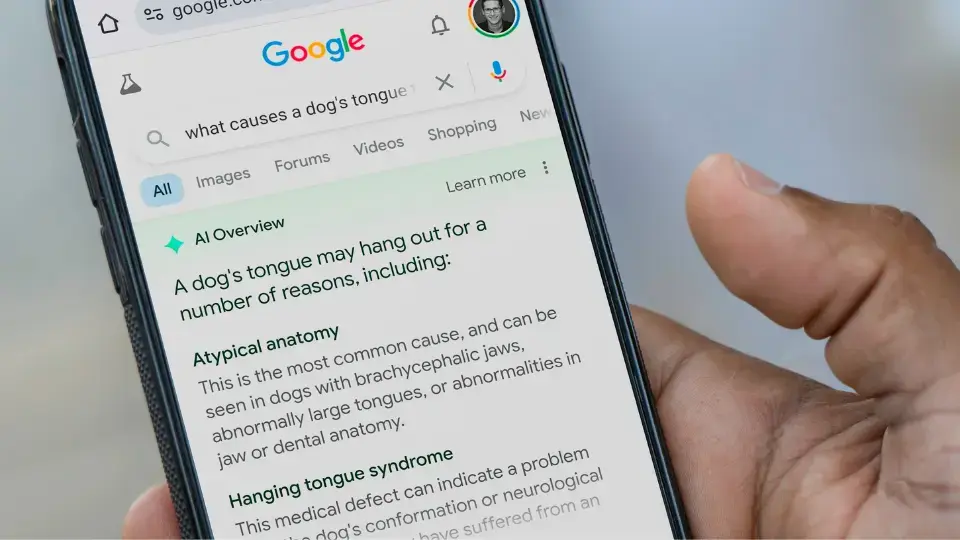
Forget the hype around LLMS.txt. Google’s Gary Illyes confirmed at Search Central APAC that the search giant doesn’t plan to use that file and won’t be crawling it.
If you want visibility in Google’s AI Overviews or AI Mode, you need to do what you’ve (hopefully) already been doing: standard SEO. That means:
- Well-structured, crawlable content
- Accurate metadata
- E-E-A-T-friendly authority signals
- Internal linking and proper indexing
In other words, Google’s AI outputs are pulling from the same content Google Search does. If your content ranks well in traditional Search, you’re already in the running for AI visibility, too.
The Gurus’ take on what this means for your brand
At OMG, we’ve been fielding questions about AI SEO strategies and LLMS.txt files for months. This update gives us a clear direction: double down on high-quality SEO, not new protocols that Google doesn’t use.
While other engines (like OpenAI) are pinging LLMS.txt for crawl rules, Google is staying the course. That means your current SEO investment directly impacts your visibility in AI-driven results. Nothing fancy required.
Your action plan
Here’s how to optimise for AI Overviews without reinventing your strategy:
- Stick to SEO best practices: Ensure your pages are properly indexed, have clear title tags, relevant H1-H3 structure and accurate metadata. Use keyword variations naturally in the body content to increase semantic depth.
- Build trust and authority: Incorporate expert quotes, cite reputable sources, and include links to authoritative content. These signals contribute to Google’s E-E-A-T evaluation and improve chances of appearing in AI Overviews.
- Optimise for clarity, not flair: Avoid vague language and jargon. Present key information high on the page and ensure summaries, product descriptions and service details are written in simple, searchable terms that AI models can easily parse.
#2. Instagram launches auto scroll
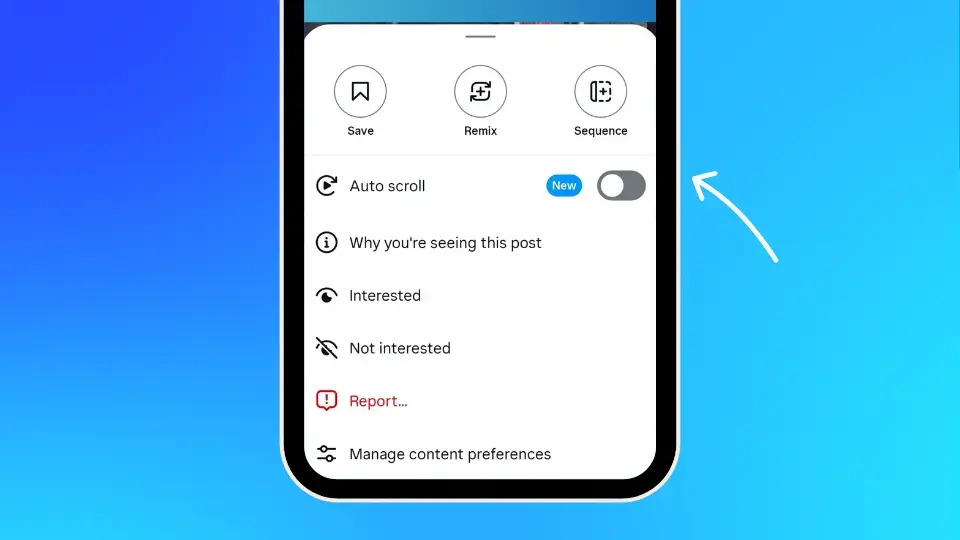
Instagram is quietly rolling out a new auto-scroll toggle for some users, allowing posts to flow continuously in your feed without manually swiping.
This feature is currently limited to static post feeds (not Reels, which already have autoplay). Once activated, the app automatically scrolls through your main feed based on algorithmic recommendations.
While it’s still in testing, this could change how users consume Instagram content.
The Gurus’ take on what this means for your brand
Auto scroll may look like a small UX tweak, but the implications for social media marketing are big. If users are passively consuming more content, you’ve got a shot at higher impressions, but only if your content stops the scroll (or, in this case, holds attention mid-scroll).
With content now moving faster and with less user friction, weaker posts risk getting skipped entirely. Brands need to make every second count.
Your action plan
Here’s how to adapt your content to this new scrolling behaviour:
- Hook immediately: The first two seconds count. Use vibrant imagery, bold headlines or strong product visuals at the start of your post to grab attention as users scroll automatically.
- Optimise post layouts for flow: Design for vertical consumption. Ensure your carousels and single-image posts guide the eye naturally. Avoid dense text overlays and use mobile-optimised design principles.
- Monitor engagement metrics: Look beyond likes: check post saves, profile visits and time-on-post to understand how auto scroll affects content stickiness. Test variations across posts and measure what holds attention.
- Test content formats: Experiment with short-form explainers, tutorials, list-style carousels and minimalist quote posts to see what breaks through passive scrolling and drives interaction.
#3. Google launches Branded Searches conversion type
Branded Searches is a new reporting metric within Google Ads that shows how many users searched for your brand on Google or YouTube after viewing your ads. It’s now available across YouTube, Performance Max and Demand Gen campaigns.
The data tracks searches performed within seven days of a user seeing an ad and attributes credit using view-through or last-click attribution models.
The Gurus’ take on what this means for your brand
For years, upper funnel media teams have struggled to show how brand campaigns lead to search activity and eventual conversions. This new reporting metric provides a much-needed bridge between awareness and action.
It also lets you see whether a general brand campaign or a specific product campaign drove the branded Search, giving you stronger signals around messaging performance.
While Branded Searches can’t be used in bidding or optimisation yet, it’s an invaluable reporting layer for measuring real interest in your brand.
Your action plan
Here’s how to take full advantage of this digital marketing update:
- Enable branded search reporting: Work with your Google Ads rep to confirm that brand mapping is in place. Once set up, Branded Searches will begin populating your “All conv.” and “Results” columns.
- Access the data: Use the Campaigns tab and Conversion action segmentation to isolate Branded Searches. Analyse results at the campaign, ad group and asset levels to see which creatives are prompting search.
- Understand attribution: Remember that attribution follows last-view logic. Track how specific creative assets contribute to branded queries, even when multiple touchpoints are involved.
- Plan your media mix: Use insights from Branded Searches to rebalance spend between brand awareness and product-driven campaigns. The volume of brand queries can reveal which narratives are driving curiosity.
- Adjust your reporting window: Tailor the lookback period based on your buying cycle. For short-term offers, a 7-day window might work. For longer lead cycles, consider expanding it to 14 or 30 days.
#4. Meta Ads Manager adds multi-word filtering
Meta has quietly rolled out an update to its Ads Manager filter tool, and if you’ve ever spent time trying to isolate a group of campaigns by name, this will save you serious time.
Previously, filtering by keyword meant creating a separate filter for each word. Now, with ”Contains any of” and ”Doesn’t contain any of”, you can enter multiple keywords in a single filter condition.
This update applies to campaign name, ad set name, ad name and more.
The Gurus’ take on what this means for your brand
This is a quality-of-life update that will make a difference to anyone managing high-volume Meta ad accounts. Filtering by multiple keywords is essential for fast diagnostics, performance reviews and naming convention audits.
It also supports better account hygiene. You can quickly identify inconsistencies, mislabelled campaigns or groups of ads that need updating, without hours of manual work.
Your action plan
Here’s how to use this new feature to improve workflow and scale more effectively:
- Use smart filters for fast analysis: Combine multiple keywords in one filter field to quickly isolate seasonal or promotional campaigns. This reduces reporting time and enables more agile performance reviews.
- Clean up naming conventions: Identify and flag campaigns or ad sets that don’t follow your naming schema. Use this data to guide clean-up sprints and standardise naming for scalable management.
- Streamline bulk edits: Easily find mislabelled or underperforming assets to pause, update or relaunch in batches without having to manually tag them beforehand.
- Apply to larger audits: Combine with additional filters like impressions, cost or frequency to drill into specific performance issues. Use saved views to repeat the process across accounts.
#5. YouTube Shorts adds AI tools for photo-to-video and dynamic effects
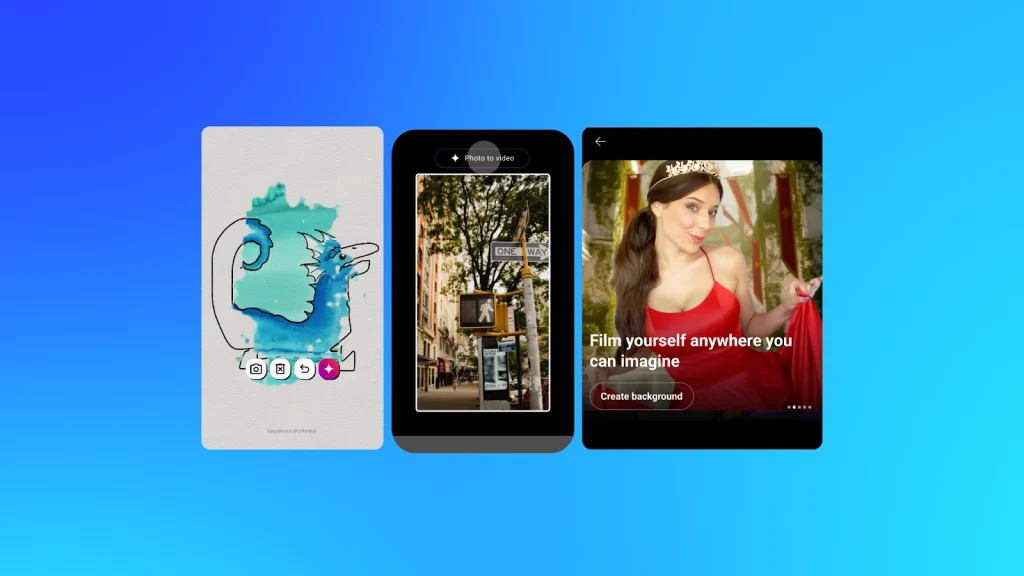
YouTube is launching new generative AI tools for Shorts creators. These include a photo-to-video converter and creative AI effects that allow users to animate still images, doodles or selfies into six-second video clips.
The photo-to-video tool uses images from your camera roll and applies motion, zoom effects and animations based on what’s detected in the frame. It’s rolling out in Australia, New Zealand, the US and Canada now, with more regions to follow.
New dynamic AI effects can also turn selfies into stylised clips, such as underwater scenes or mirrored visuals. These features are all housed in the new AI Playground section within the Shorts camera.
The Gurus’ take on what this means for your brand
These tools make it easier than ever to create dynamic short-form videos with minimal effort. For content teams, it opens up new ways to repurpose static assets, like product photos or campaign images, into mobile-first video content.
As Shorts grows to over 200 billion daily views, brands that adopt creative tools like this will have more content output, faster turnaround and a greater chance of capturing scroll-stopping attention.
Your action plan
Use these steps to take advantage of the new Shorts features:
- Start with static assets: Turn photos from past campaigns, UGC or brand shoots into AI-animated video clips. Repurpose assets that typically wouldn’t make it into short-form video.
- Experiment with AI effects: Try the different transformations available in the Shorts camera. Use various formats to appeal to key segments of your audience.
- Use AI Playground for content ideas: Tap into the AI Playground for creative prompts that align with seasonal moments or trending challenges. Use it to break creative ruts.
- Maintain brand consistency: Ensure brand fonts, colours and tone of voice carry through, even when AI effects are applied. Use overlays or voiceovers if needed to anchor each clip to your brand.
- Track performance: Compare engagement, completion rates and click-throughs between AI-generated Shorts and traditional ones. Use insights to refine your creative direction for short-form video.
#6. Google launches Web Guide AI to organise search results
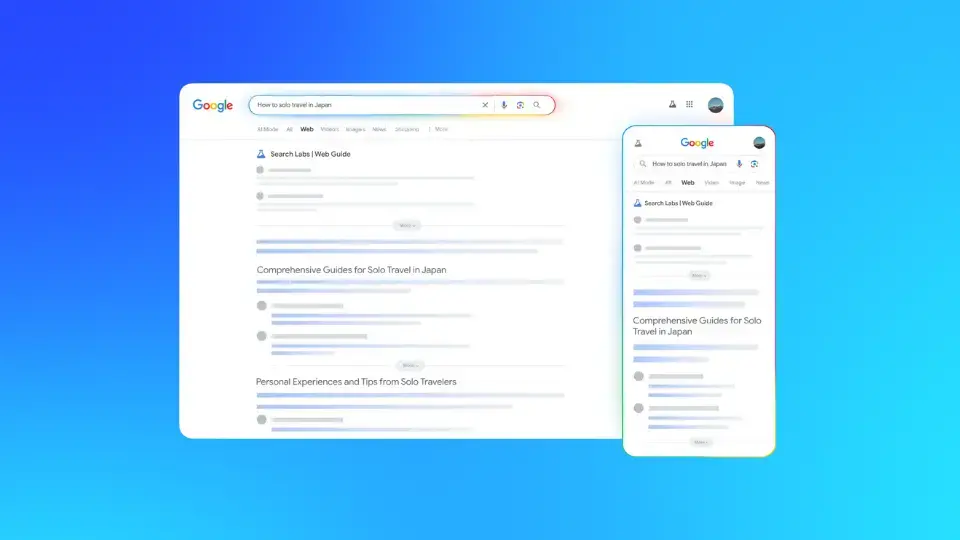
Google is testing Web Guide, a new Search Labs feature that uses AI to organise the search results page into content clusters. It groups results based on themes or aspects of a query, showing richer context and helping users discover more relevant links.
For example, searching for”how to solo travel in Japan ” might return clusters like ”budget tips,” ”safety advice” and ”destination ideas.”
Web Guide is powered by a custom Gemini model and uses a ”query fan-out” process to retrieve more diverse but related results.
Currently, it’s available only to opted-in Search Labs users and appears in the Web tab, with plans to expand this functionality to other areas of Search over time.
The Gurus’ take on what this means for your brand
Web Guide marks a shift in how Google organises information and surfaces content. Instead of competing for a single list ranking, your content now needs to be relevant to a topical cluster.
This is a significant change in user experience. For brands, it highlights the importance of topic depth, semantic relevance and multi-intent optimisation.
Your action plan
Here’s how to adapt your content strategy for AI-organised results:
- Focus on topical coverage: Map out content clusters with multiple entries targeting different aspects of a topic. Use internal linking to create clear content relationships across your site.
- Use structured formats: Implement consistent header hierarchies, bullet points, numbered lists and schema markup. This makes it easier for Gemini to categorise your content accurately.
- Write for broad and specific intent: Address both general informational queries and niche long-tail searches. Use FAQs, comparison tables and mini-guides to serve multiple search intents.
- Test with Search Labs: Enable Web Guide and run queries to observe how your content appears. Take note of how competitors structure their content and what clusters are being prioritised.
- Update older content: Identify pages with outdated formatting or scattered messaging. Consolidate and restructure them to align with the new content organisation logic Google is testing.
#7. Google Trends API now available
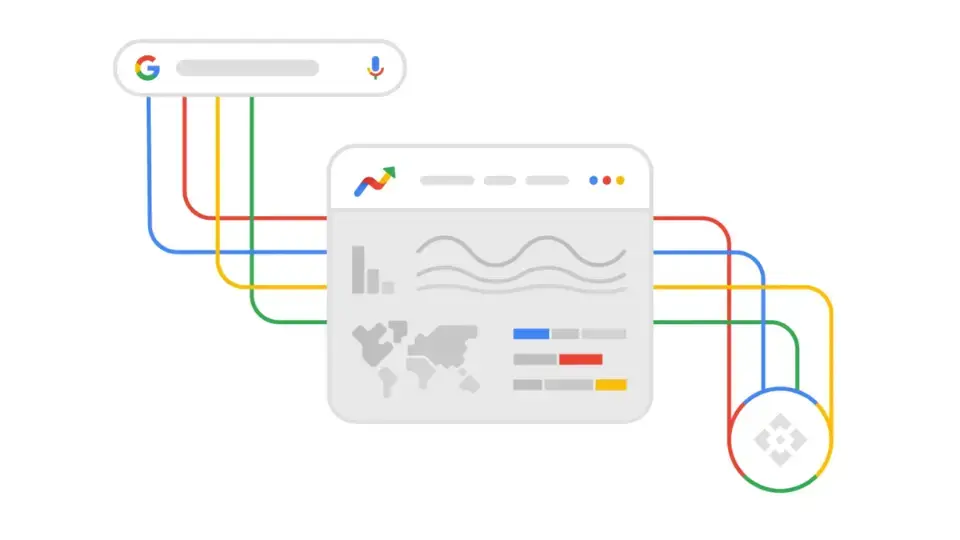
Google has officially launched an alpha version of the Google Trends API, giving developers access to consistently scaled search interest data for the past five years. This includes daily, weekly, monthly and yearly aggregations, with region and subregion breakdowns.
Previously, Google Trends was only accessible via the website, where each query scaled data between 0 and 100 independently. The API allows comparisons across multiple terms and timeframes without reloading entire datasets every time.
The Gurus’ take on what this means for your brand
This is a major win for teams using trends data for strategy and planning. With access to scaled, mergeable datasets, SEOs, content marketers and paid media teams can make smarter decisions faster.
No more screenshots or manual comparisons. You can now analyse seasonal interest, regional trends, or campaign-driven lift using consistent, reusable queries that plug straight into reporting systems.
Your action plan
Here’s how to start leveraging this digital marketing update:
- Apply for alpha access: Submit a request to join the early tester program. This gives your team an advantage in working with scalable trend data.
- Connect to your reporting tools: Integrate the API with your analytics stack so trends data is pulled alongside campaign performance metrics, enabling real-time insights.
- Build topic clusters and content plans: Identify emerging queries, seasonal patterns or industry spikes. Align new content with what your audience is already searching for.
- Analyse regional differences: Use geo-level segmentation to uncover regional opportunities. Tailor creative, messaging and media plans to match demand in each area.
- Collaborate across teams: Let SEO, content, paid media and PR teams draw from one consistent trends dataset. This keeps everyone aligned on topics worth investing in.
#8. Instagram tests carousel insights by frame
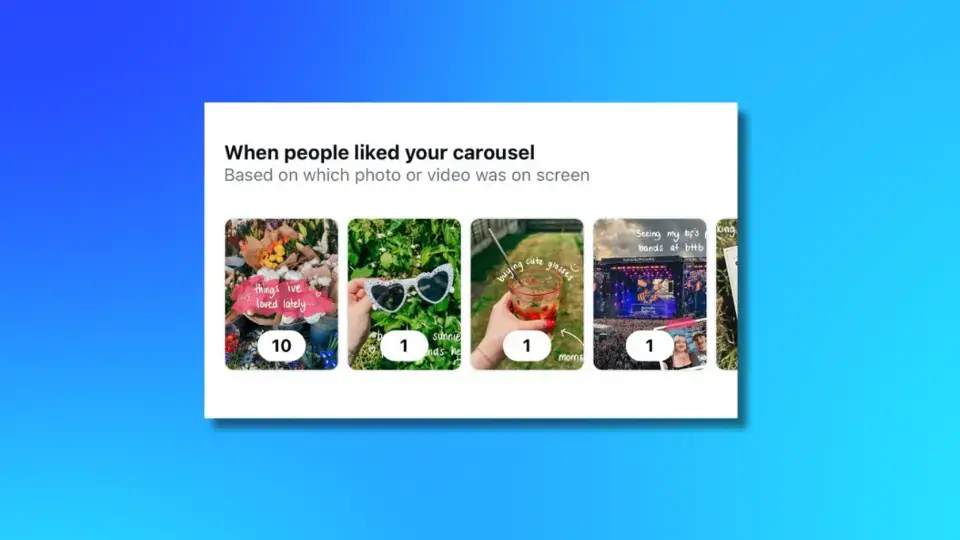
Instagram is experimenting with a new analytics feature that assigns like counts to individual frames within a carousel post. This count is based on which image was on screen when the user tapped ”like,” and may offer a more nuanced understanding of which visuals resonate most with your audience.
It’s not a perfect metric; many likes will still reflect the overall post, but high engagement on a specific frame could indicate which creative element captured attention.
The Gurus’ take on what this means for your brand
For brands using carousel posts to tell visual stories, promote products or share step-by-step guides, this update adds a new layer of insight. You can now test which frame types or formats are working best, and iterate with greater precision.
It also aligns with Instagram’s algorithmic behaviour. Carousels often get a second chance at reach if the user doesn’t engage the first time. Stronger middle-frame content might help secure that delayed engagement.
Your action plan
Here’s how to make use of this social media marketing update:
- Monitor frame-level performance: Use new like counts to understand which visuals are driving the most engagement.
- Test different first-frame styles: Try different approaches to first-image design to increase swipe-through and engagement.
- Optimise storytelling structures: Build carousels with intentional narrative flow, from problem to solution or teaser to reveal.
- Segment audience preferences: Use themes or formats across carousels to test what resonates with different audience segments.
- Pair with engagement retargeting: Retarget users who engage with specific carousels using Meta’s audience tools to deepen the conversion path.
#9. Google Ads Smart Bidding Exploration fully launches
Google Ads has officially rolled out Smart Bidding Exploration for Target ROAS (tROAS) campaigns, giving advertisers a powerful new way to uncover additional conversions without changing budgets or campaign structure.
This feature enables Google’s AI to test new traffic segments while still optimising for your existing ROAS goals. It’s now available at both the campaign and portfolio level and is part of Google’s broader push for AI-driven performance through its AI Max initiative.
The Gurus’ take on what this means for your brand
Smart Bidding Exploration lets Google’s algorithm explore additional opportunities with more flexibility, while still adhering to your ROAS targets.
For media teams, it’s a smart, low-risk lever. You don’t need to restructure campaigns, raise budgets or shift your optimisation model. Just enable the feature and let Google’s AI test untapped potential within your existing limits.
Your action plan
Here’s how to get started with this feature:
- Enable Smart Bidding Exploration: Go into your tROAS campaign or portfolio settings and toggle the exploration feature. No additional setup is required, and the rollout is now live across all accounts.
- Test in mature or saturated campaigns: Apply this feature to campaigns where you’re already seeing limited scale or diminishing returns. It can help surface overlooked traffic without rebuilding the structure.
- Track performance lift: Monitor conversion volume, ROAS consistency and any new search terms or placements that emerge. Compare against baseline results over the same period..
#10. OpenAI’s GPT-5 may be coming in August
According to multiple reports, OpenAI is preparing to release GPT-5 in August 2025. The new model will unify capabilities from both the GPT series and the reasoning-focused o-series, combining them into a single, more powerful system.
GPT-5 is expected to include enhanced reasoning abilities, improved multi-modal support, and greater coding capability. OpenAI is also planning to release ”mini” and ”nano” API versions, as well as an open-weights model for developer testing.
The Gurus’ take on what this means for your brand
GPT-5 could redefine what AI tools can do across marketing. With stronger reasoning and faster contextual understanding, marketers may soon rely on AI to perform more strategic tasks, like summarising reports, writing ad copy variations, interpreting performance trends or even planning campaign structures.
If your team is already using GPT-based tools, this next generation will likely speed up workflows and reduce manual steps. If you’re not, GPT-5 is the perfect moment to explore how AI can fit into your content, SEO and media operations.
Your action plan
Here’s what to do with this new version:
- Review your current AI stack: Audit where you’re already using AI tools across SEO, content, data analysis or media planning. Identify friction points that GPT-5’s enhanced capabilities could help solve.
- Prepare for API upgrades: If you’re using GPT-4 or ChatGPT Enterprise, speak to your developers about integrating the GPT-5 API or adopting the ”mini” model in more lightweight workflows.
- Experiment with automation use cases: Start small. Test using GPT to write meta descriptions, generate content outlines or cluster keywords by intent. Use these experiments to build team confidence.
From varied updates to a unified strategy
This batch of digital marketing updates shows a shift toward structure, automation and smarter engagement. AI Overviews prove that SEO still drives discovery. Tools like Smart Bidding and the Trends API put real-time data and automation at the centre of performance.
Social platforms, too, are evolving. Instagram’s updates hint at how design and storytelling are key to engagement. And with GPT-5 approaching, AI marketing tools are getting smarter fast.
Work with the Gurus: Make every update work for you
At Online Marketing Gurus, we don’t just track digital marketing updates. We help businesses use them to grow, compete and lead in fast-changing environments.
When platforms like Google, YouTube, Instagram and Meta release major changes, it’s not enough to react after the fact. Your campaigns, content and optimisation strategies need to evolve in real time. That’s where our team comes in. Our expertise spans AI SEO, performance media, analytics and full-funnel content strategy, so your marketing never sits in silos.
If you’re wondering how your brand stacks up in this new landscape, get in touch for a free digital audit. We’ll review your current performance, identify areas of untapped potential and give you a clear path to turn every platform update into a competitive advantage.

About the Author
Andrew Raso
Share