- Home
-

- Blog
-
- News and Industry Updates
-
- Instagram Is Now Searchable. But the Bigger Story Comes from OpenAI.
Instagram Is Now Searchable. But the Bigger Story Comes from OpenAI.
Digital marketing moves so fast that if you blink, you’ll miss a seismic shift that could either bury your brand or blast it into the stratosphere.
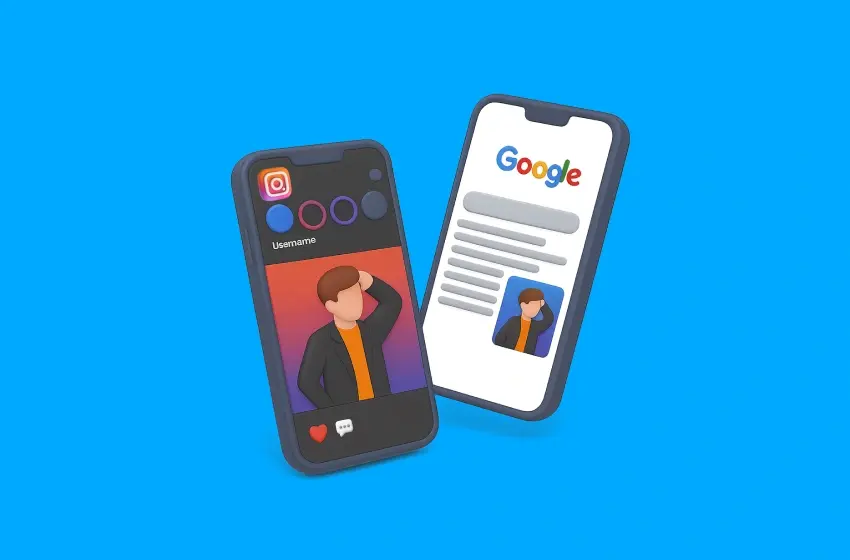
This week delivered a truly seismic one: the wall between Google and Instagram has finally come down. For the first time, your public content is being indexed and ranked directly in Google Search.
What does this mean for your SEO and social strategies? We’re diving deep into the actionable tactics your team needs to deploy right away. Plus, we’ve got six other juicy AI and marketing tool updates that’ll give you a serious edge. Let’s get into it.
#1: Google and Instagram are finally playing in the same sandbox

For years, we’ve treated them as two different beasts. Google was for intent-based searches, a place of questions and answers. Instagram was a walled garden of inspiration – a beautiful, curated world where discovery happened through hashtags and the ever-mysterious Explore page. Your SEO strategy was for your website, and your social strategy was for, well, social.
As of July 2025, that division is officially dead and buried.
Meta has flipped the switch and allowed Google to crawl and index public content from all professional (Business or Creator) Instagram accounts. This includes your photos, your carousels, your Reels – all of it. Suddenly, your Instagram posts are no longer just fleeting moments in a feed, but are durable, searchable assets that can appear in Google Search and Google Images, just like a blog post or a product page.
For anyone in marketing, this is both thrilling and – we’re not gonna lie – a little terrifying. It’s a gold rush for visibility, but it also means the bar for creating quality social content just got raised. Significantly.
The Gurus’ take on what this means for your brand
After learning about this social media marketing update at OMG, we immediately ran tests. When we see a change this big, we’re like kids in a candy store, dissecting the algorithm to see what makes it tick. Here’s our first-hand take on the immediate implications:
A new front in the SEO war
Your Instagram profile is now a direct competitor to other websites in your niche. A picture-perfect Reel demonstrating your product could now outrank a competitor’s clunky blog post for specific search queries. This is a massive opportunity for visually-driven brands in sectors like fashion, travel, food, beauty and home services.
The long-tail of social content
The lifespan of an Instagram post was notoriously short – a few hours, maybe a day or two if you were lucky. Now, a well-optimised post from six months ago can be surfaced by Google for a relevant query, driving traffic and leads long after its initial “likes” have faded. In other words, your content is no longer disposable, but an evergreen asset.
Brand reputation on full display
This one’s a double-edged sword. That hilarious, slightly off-the-cuff meme you posted? It could now appear when a potential B2B client Googles your brand name. The visibility is incredible, but it demands a new level of strategic rigour. Every single post is now a potential front door to your brand.
Your action plan
This isn’t the time to wait and see. The brands that act now will build a massive, compounding advantage. Here’s what your marketing team needs to focus on to turn this social media marketing update into a growth engine.
A. Treat your Instagram captions like page titles and meta descriptions
Vague, artsy captions are sadly out, and descriptive, keyword-rich captions might be in. The first line of your caption is now prime SEO real estate.
- Before: New look in store!
- After: Just dropped: Our new line of sustainable linen shirts, perfect for the summer heatwave in Sydney. Explore the full collection at our Bondi Junction store.
See the difference? The second example is packed with keywords (“sustainable linen shirts,” “summer,” “Sydney,” “Bondi Junction”) that Google can understand and rank.
B. Your alt text is no longer optional
Instagram’s alt text feature was designed for accessibility, but now it’s a direct line to Google’s crawlers. Instagram will auto-generate it if you don’t, but as you know, its version is notoriously generic. Therefore, you have to take control. Write your own descriptive alt text for every image.
When creating a new post, remember to be specific. Describe what’s in the image, who it’s for and even mention your brand name. For example: A woman wearing the ‘Sunset’ floral midi dress by [Your Brand Name] at a beachside cafe.
C. Double down on value-driven, searchable content
Think about what your customers are actually Googling. They’re looking for answers, solutions and tutorials. Your Instagram content should now also serve that intent.
- Create “how-to” reels: How to Style One Blazer, Three Ways
- Develop informative carousels: 5 Common Skincare Mistakes and How to Fix Them
- Showcase before-and-afters: A powerful visual for any service-based business, from home renovation to fitness coaching.
D. Optimise your profile like it’s your homepage
Your Instagram bio needs to be crystal clear about who you are, what you do and where you’re located (if you’re a local business). Use your primary keywords in your bio and your name field.
- Name Field: Don’t just put your brand name. If you’re a “Sydney Plumber,” add that next to your name.
- Bio: You have 150 characters. Make them count. Clearly state your value proposition and who you serve.
- Link in bio: Ensure it points to a relevant, high-converting page.
This week’s other essential AI and social media marketing updates
The Instagram-Google integration is a showstopper, for sure. But the pace of innovation doesn’t stop there. This week, we also saw giant leaps in social commerce and the AI marketing tools you use daily. If you’re not paying attention to these, you’re leaving money on the table.
#2: OpenAI is launching its own AI browser

Just when you thought the browser wars were over, the company that brought generative AI to the masses is entering the fray. OpenAI has officially announced it is launching its own web browser, and it’s not just a clone of Chrome with a different logo. This browser is built from the ground up around AI, designed to change how we find, consume and interact with information online.
Unlike traditional browsers that are essentially sophisticated content display tools, OpenAI aims to be a “conversational research partner.” Early details suggest it will use an embedded GPT-style AI assistant to interpret your prompts in real time – think hyper-personalised, context-aware browsing on steroids.
The Guru’s take on the future of web browsing and content
If conversational AI browsers become the norm, ranking on page one is no longer the finish line – your content must also be robust enough to be cited and surfaced by AI summaries. For years, we’ve optimised content for how Google’s crawlers read a page. The OpenAI browser forces us to start thinking about how an AI understands and synthesises a page.
If a user can simply ask their browser, “What are the key differences between Product A and Product B?”, the AI will pull that information from both product pages and present a summary. Therefore, websites that win will be those that make it easiest for an AI to digest their information. Conversely, sites relying on waffle, keyword stuffing or confusing layouts will likely be ignored by the AI summariser.
In a way, this isn’t entirely new territory – we’re already seeing it with Google’s AI Overviews and other generative search experiences. If you’ve been optimising your content to be picked up by AI snippets, this is just the next evolution. The difference? The browsing experience itself is now built around it.
Your action plan
- Audit your content for clarity: Review your key service and product pages. Is the information structured logically with clear headings? Could an AI easily pull out the key features, benefits, and specifications?
- Embrace structured data: If you’re not already using Schema markup religiously, now is the time to start. Structured data is like a cheat sheet for AI, explicitly telling it what your content is about.
- Focus on factual density: Ensure your content is rich with concrete facts, figures and data points. The AI browser will likely favour sources it deems authoritative and factually dense when synthesising user answers.
#3: Meta’s creative tools: flexible formats and AI-generated image ads
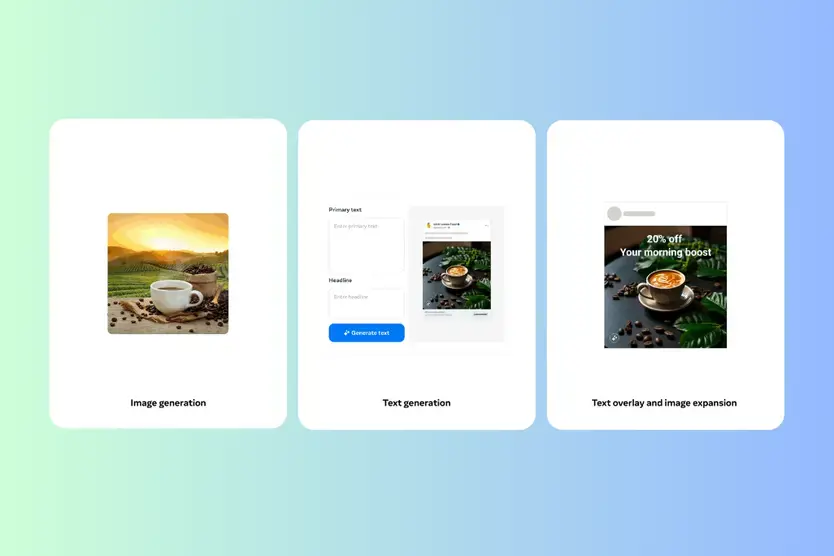
Meta’s back at it, serving up fresh tools to make your paid social ads sharper and more adaptable than ever. This month, they’re rolling out two powerful updates: flexible format breakdowns and AI‑generated image ads.
The flexible format creative breakdown
The Flexible Format creative tool lets you upload a single image or video, which Meta’s AI marketing tool then automatically adapts into various aspect ratios (e.g., square for the feed, vertical for Reels and Stories). It analyses your creative and intelligently crops and resizes it to look native to each placement, saving your design team countless hours of tedious resizing.
Your headline, primary text, CTA and visuals get rearranged and tested to find the highest-performing combo for each placement. For marketers juggling dozens of variations, this is a godsend.
AI-generated image ads
Let’s face it – creative fatigue is real. Meta’s new AI image generation lets you whip up fresh ad visuals in seconds. By clicking “Generate with AI,” you can prompt it to do things like change the background to a “tropical beach” or a “modern cafe,” or even place your product in different settings to appeal to different audience segments – all within Ads Manager. Early tests show higher engagement rates when advertisers rotate fresh images more frequently.
The Guru’s take: This is your ticket to hyper-speed creative testing
Twelve years in digital marketing taught us that creatives are the biggest lever for improving ad performance. However, testing them properly is resource-intensive. These AI marketing tools change that equation altogether, because the barrier to testing a dozen different concepts has just dropped to almost zero.
We’re already seeing this transform our campaign workflows. Instead of briefing designers for five different background variations of a product shot, our strategists can now generate them in minutes.
This allows us to test hypotheses much faster. Does our audience in Queensland respond better to beach backgrounds, while our Melbourne audience prefers a laneway cafe aesthetic? We can now test that theory across all placements without a single minute of extra design work.
Your action plan
- Start with your best performers – Take your current top-performing image ad and use the AI generation tool to create five new variations with different backgrounds. Launch them as a creative test to see if you can beat your control.
- Leverage Flexible Formats for all campaigns – There’s no reason not to use this feature. Enable it for your video and image ads to ensure you maximise your reach across every placement without your asset looking stretched or poorly cropped.
- Give the AI clear context – When using the image generation tool, provide clear, descriptive prompts. Instead of “change background,” try “change background to a bright, minimalist kitchen with marble benchtops.” The more context you give the AI, the better the output will be.
#4: GA4 rolls out lead acquisition and disqualification reports
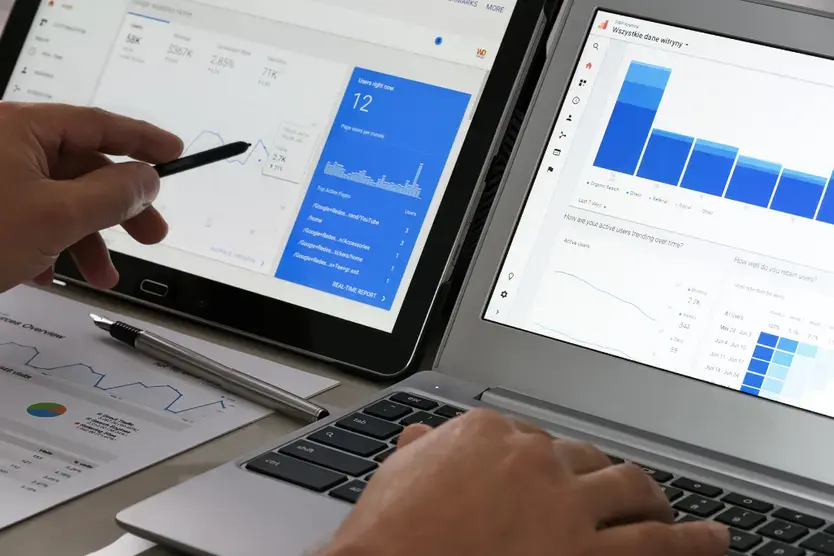
One of the biggest grumbles about GA4, particularly for B2B and service-based businesses, has been its difficulty in tracking lead quality through the funnel. Google has finally responded.
These new reports rely on you defining two key events:
- Lead Acquisition: This is your standard lead event (e.g., a form submission).
- Lead Disqualification: This is a new, crucial event you need to configure. It signifies a lead acquired but later deemed unqualified by your sales team (e.g., marked as “Unqualified” in your CRM).
By tracking both, GA4 can now provide new metrics like “Disqualification Rate” and “Cost per Qualified Lead.” For the first time, you can see directly within GA4 which campaigns, channels and keywords drive a high volume of junk leads versus those delivering genuinely valuable opportunities to your sales team.
The Gurus’ take: We can now bridge marketing metrics and sales reality
Marketers and sales teams have always wrestled with aligning what counts as a “good lead”. This digital marketing update bridges that gap by surfacing real data on lead quality. You can spot which campaigns bring in gold and which are dragging in dead weight.
Think about it – a campaign that generates 100 leads with a 90% disqualification rate is a failure, while a campaign that generates 10 leads with a 10% disqualification rate is a huge success. These reports make that distinction painfully clear, right inside the analytics platform.
The goal is no longer just to lower the ‘Cost per Lead’ but to reduce the ‘Cost per Qualified Lead’. It forces marketing to take ownership of lead quality and gives them the data to prove their value to the sales department and the broader business.
Your action plan
- Integrate your CRM with GA4 – To make this work, you need a way to send disqualification data from your CRM (like HubSpot or Salesforce) back into GA4. This typically involves a bit of technical setup, but it is the absolute key to unlocking these reports.
- Define your disqualification criteria – Work with your sales team to create a rock-solid, non-negotiable definition of what constitutes a “disqualified lead.” This must be agreed upon and applied consistently.
- Optimise towards quality – Once the reports are populated, start shifting your budget away from campaigns with high disqualification rates, even if their top-line ‘Cost per Lead’ looks good. Consider reinvesting in the channels and campaigns that deliver leads your sales team actually wants.
#5: OpenAI adds Shopify integration
In a move that will delight online merchants, OpenAI has added a direct integration with Shopify – letting the massive seller ecosystem tap into OpenAI’s powerful LLMs directly within their workflow.
This integration means merchants can use robust AI marketing tools for previously manual and time-consuming tasks. We’re talking about generating compelling, SEO-friendly product descriptions in seconds, creating customer service assistants and even getting AI-driven insights into marketing performance.
For the millions of businesses built on Shopify, this brings sophisticated AI capabilities, once the domain of enterprise-level companies, right to their fingertips.
The Guru’s take: your product data can train your AI marketing tool
The real magic here is how this integration will allow AI to be trained on a specific store’s data. An AI that can analyse your past sales, customer reviews and product information can generate content and provide service perfectly aligned with your brand voice and customer base.
You see, instead of a generic chatbot, you can have an AI assistant that knows a customer’s purchase history and can make truly personalised recommendations. Instead of generic product descriptions, you get copy that reflects the unique selling points your customers care about. The integration transforms it from a general-purpose AI marketing tool into a highly specialised employee who knows your business inside and out.
Your action plan
- Start with product descriptions – Identify your 10 best-selling products with lacklustre descriptions. Use the new AI tools to generate three new versions for each and A/B test them to see which one converts best.
- Set up a “first-line-of-defence” chatbot – Configure an AI assistant to handle the top 5-10 most common customer questions (e.g., “Where is my order?”, “What is your return policy?”). This will free up your human support team to handle more complex issues.
- Analyse customer reviews with AI – Use the tools to analyse the sentiment and recurring themes in your customer reviews. This can provide invaluable, unbiased feedback on your products that you can use for future product development and marketing angles.
#6: Google adds AI mode to Circle to Search and Lens
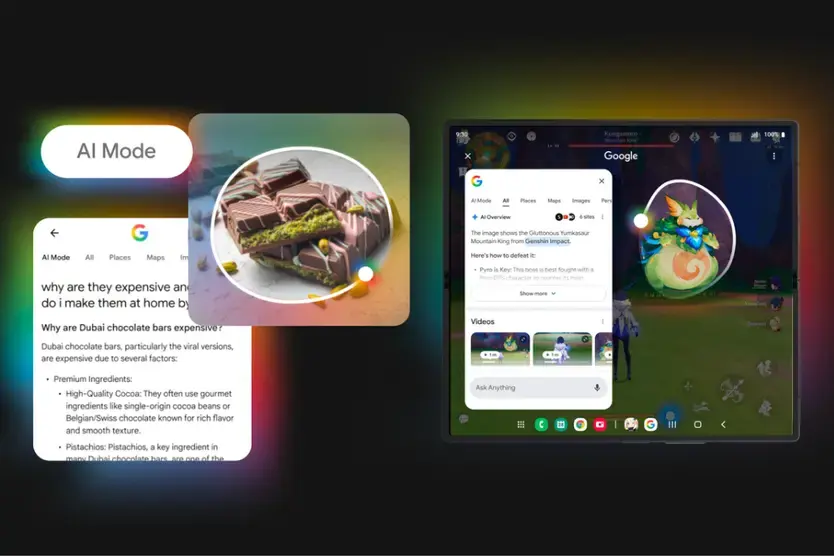
Google continues to blur the line between searching and seeing with the introduction of a new “AI Mode” for Circle to Search and Google Lens. This update supercharges visual search to the point where users can not only identify what’s in an image, but also ask complex, conversational questions about it.
For example, a user could use Circle to Search on a picture of a friend’s new couch and, with AI Mode, ask, “Where can I find a similar, more affordable loveseat version of this that’s made from sustainable materials?” More than just matching the image, it understands the user’s intent, context and follow-up criteria to provide a nuanced, actionable answer.
The Guru’s take: image is now a potential conversation starter
More than a static asset on your website or social feed, an image is now the beginning of a potential search journey. When a user can initiate a complex search from one of your images, it puts immense pressure on brands to provide visuals that are not only high-quality but also context-rich.
This will likely lead to a new field of “Visual Search Optimisation” (VSO). Brands that succeed will be those whose images accurately represent their products and are supported by detailed, easily accessible website information. If a user “Circles” your product, you want the AI to find the answer to their follow-up questions on your site, not a competitor’s.
Your action plan
- Prioritise high-quality, original imagery – Stock photos won’t cut it anymore. Use clear, well-lit photos of your actual products from multiple angles.
- Beef up your product page content – Ensure your product pages contain all the potential follow-up information a user might ask for: dimensions, materials, care instructions, sustainability information, colour options, etc.
- Think like a user – Look at your product images and brainstorm the questions a potential customer might ask. “Does this come in blue?”, “Is this machine washable?”, “What are the reviews like?” Make sure the answers are easy to find on the corresponding page.
#7: Google Ads and Merchant Center get AI bulk image editing
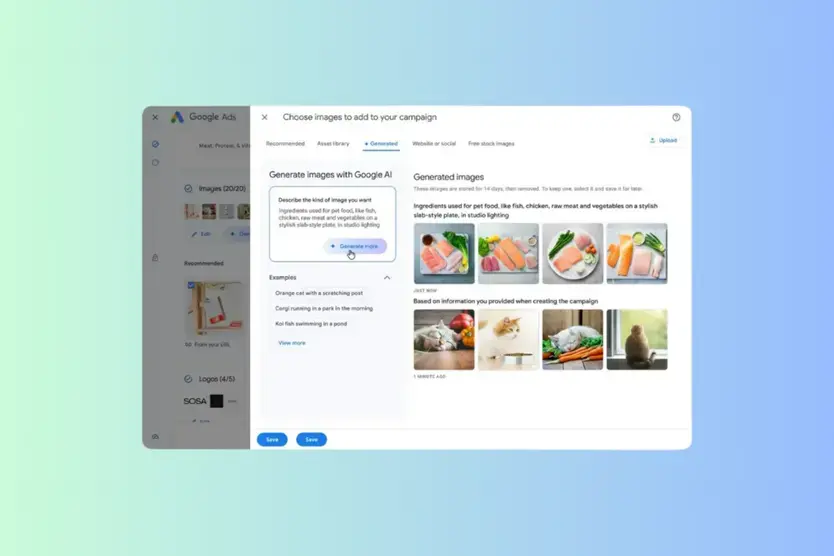
For e-commerce advertisers managing hundreds or thousands of SKUs, this digital marketing update is a lifesaver. Google has integrated AI-powered bulk image editing tools directly into Google Ads and the Merchant Center, most notably through a suite of features in “Product Studio.”
This allows advertisers to take their standard product photos and enhance them at scale. You can now select up to 100 images at once and use AI to automatically remove backgrounds, increase resolution or even generate entirely new lifestyle scenes by placing your product in a relevant setting (e.g., placing a skincare bottle on a marble bathroom counter).
The Guru’s take: no more excuses for stale shopping ad creative
After feed health, the number one reason for poor performance in Shopping and Performance Max campaigns is often stale, boring creative. Sure, plain white background works, but it rarely inspires. This tool removes the “we don’t have the budget for lifestyle shoots” excuse.
The key is to use this power strategically. Instead of creating random backgrounds, use the tool to craft visuals that align with your campaign targeting. Running a summer sale on outdoor gear? Generate scenes of your products on a sunny hiking trail. Targeting urban professionals? Place your products in a sleek, modern office setting.
Your action plan
- Segment and conquer – Don’t try to edit all your images at once. Create segments of products based on category or campaign (e.g., “Winter Coats,” “Office Furniture”) and generate scenes that are thematically consistent for each.
- Maintain brand identity – The AI is powerful, but it can sometimes produce visuals that don’t quite match your brand’s aesthetic. Always review the generated images. Create a simple “brand checklist” (e.g., “colours must be warm,” “no stock-photo-looking people”) for your team to follow when reviewing the AI’s output.
- Test lifestyle vs. plain background – Run a controlled experiment. Duplicate an existing PMax campaign and swap the plain background images for new AI-generated lifestyle scenes. Measure the difference in click-through rate and conversion rate to prove the ROI.
Final thoughts – Your roadmap in an AI-first world
So, there you have it. In a single week, Instagram became an SEO channel, AI evolved into your new PPC manager and your product images turned out to be intelligent conversation starters. If there’s one unifying thread across these digital marketing updates, it’s that AI is no longer a futuristic buzzword, but a practical, tangible tool being embedded into the core of every platform you use.
The updates that demand your immediate attention are the ones that alter user behaviour and your direct workflow. You may not need to overhaul your entire strategy tomorrow, but you absolutely need to start building the foundation.
Let the Gurus guide you
Feeling that mix of excitement and “where-do-I-even-start?” That’s the normal response to a landscape that changes this fast. Turning these digital marketing updates into a genuine advantage for your brand is what we live for at OMG.
We partner with Australia’s leading brands to implement cutting-edge SEO, build ruthlessly efficient PPC campaigns and leverage every new tool in the digital marketing arsenal.
If you’re ready to see what an evidence-based strategy can do for your bottom line, let’s talk. We have a free website audit waiting for you.

About the Author
Andrew Raso
Share